Enrollment and sign-in were completed on the recorded FP100 test system.
Windows 10 functional test completed
Pro, build 19045
One FP100 sample and one test computer
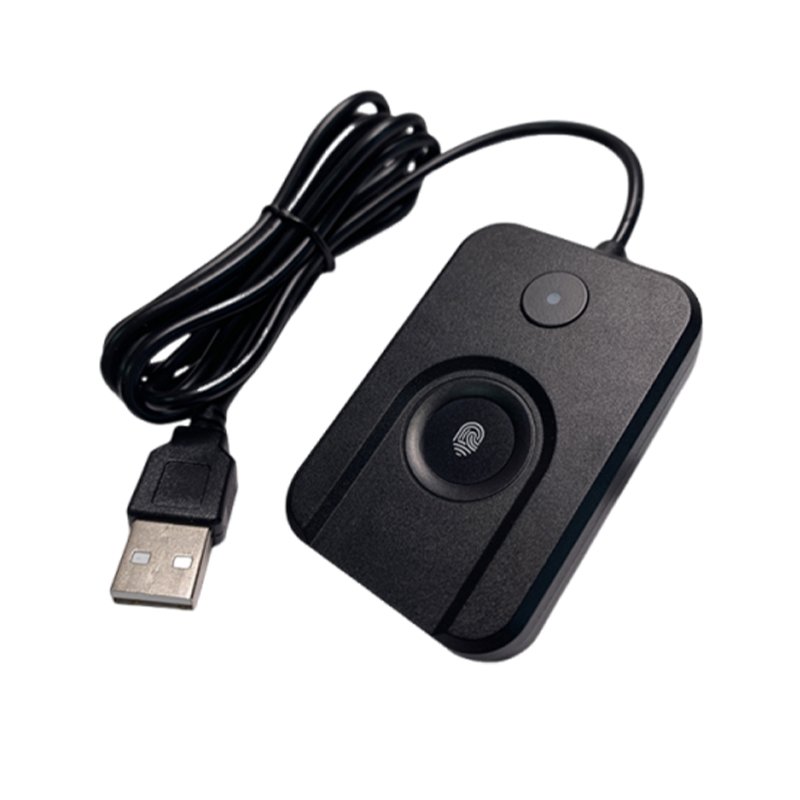
Dovryx FP100
Fingerprint sign-in, positioned for your desk.
A wired USB-A fingerprint reader for Windows Hello sign-in on compatible Windows 10 and 11 computers.
$69.99
Operating systemWindows 10 / 11
ConnectionUSB-A port required
Not supportedmacOS, Linux, FIDO2, Passkeys
Confirm your operating system and USB port before ordering.
Returns30 days from delivery
Hardware warranty1 year
Functional testWindows 10 setup and sign-in completed
Test scope
What the FP100 test actually covered.
These results apply to one FP100 sample on one Windows 10 Pro computer. The computer already contained the ChipSailing driver package, so this test does not prove clean first-install behavior.
EnrollmentA new fingerprint was added
Windows event records confirmed enrollment through the connected FP100 sensor.
Sign-inCorrect and unregistered fingers checked
The new finger signed in; a separate unregistered finger was rejected in the observed test.
RecoveryReconnect, restart and S3 passed
The device returned with problem code 0 and signed in again after each completed scenario.
ConnectionTwo native USB-A ports passed
The same installed driver loaded for both physical port instances.
System rangeDesigned for Windows 10 / 11
Use a compatible computer with Windows Hello and a native USB-A port.
Compatibility first
Make sure FP100 fits your computer.
FP100 is a Windows Hello fingerprint reader. It is not a FIDO2 security key and does not support passkeys.
Designed for compatible Windows 10 and Windows 11 computers. Use a native USB-A port for the supported connection.
These operating systems are outside the confirmed launch range.
FP100 should not be described as a biometric security key.
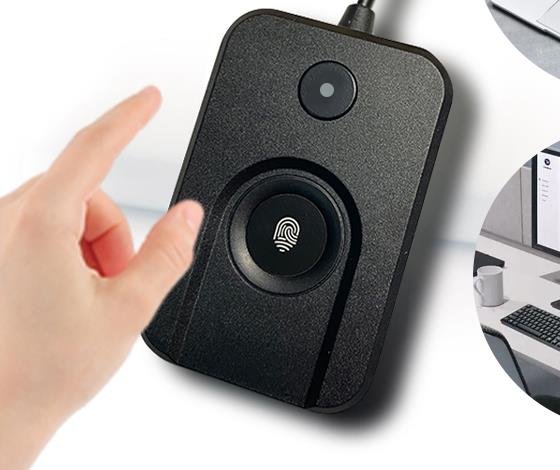
Desktop placement
Bring the fingerprint reader within reach.
Place FP100 on a desk, connect its cable to an available USB-A port, then enroll a finger in Windows Settings.
- Interface
- USB-A
- Finish
- Black
- Body footprint
- 1.574 x 2.362 in
- Product weight
- 56.5 g
- Cable length
- 1.5 m
- Lock button
- No
Windows setup
From USB connection to fingerprint enrollment.
Finish driver installation before opening Fingerprint recognition. On the recorded FP100 test, Device Manager showed a working Biometric device with problem code 0 in an environment where the ChipSailing driver was already installed.
- ConnectPlug in FP100Connect the cable to an available USB-A port.
- InstallConfirm the driverCheck Device Manager if installation does not complete automatically.
- ConfigureOpen Sign-in optionsGo to Settings, Accounts, then Sign-in options.
- EnrollAdd a fingerprintComplete enrollment and keep a Windows PIN as backup.
FP100 driver observation
The current sample matched the shared sensor driver.
Windows Update remains the first installation path. The FP100 sample bound to the driver already present on the test computer; a Dovryx-hosted production download and clean first-install result are not published yet.
- Observed hardware ID
USB\VID_2541&PID_0236- Observed version
- ChipSailing 18.28.18.814
- Installed INF
oem42.inf- Observed result
- Biometric device, problem code 0
Important installation boundary
This identifies the tested sample on this computer. It does not prove that every FP100 batch will use the same hardware ID or that a clean computer will install the driver automatically.
A valid Windows driver signature is not Microsoft product certification or endorsement of FP100.
A wired fingerprint reader for Windows sign-in.
Its desktop form keeps the fingerprint surface accessible while the cable connects to a compatible Windows computer. The completed sample test covers Windows 10 Pro build 19045.
Not a FIDO2 or passkey security key.
FP100 has no Microsoft certification and should not be presented as officially approved or as a cross-website authentication key.
Before purchase
FP100
$69.99
30-day returns
Return or exchange within 30 days of delivery when the item remains in its original packaging and resaleable condition.
Buyer-paid return shipping
For personal reasons, including choosing the wrong interface or unsupported system, the buyer pays return shipping.
1-year limited hardware warranty
Qualifying non-user-caused hardware recognition faults or hardware damage are covered with free replacement.
FP100 FAQ