Enrollment and sign-in were completed on the recorded FP200 test system.
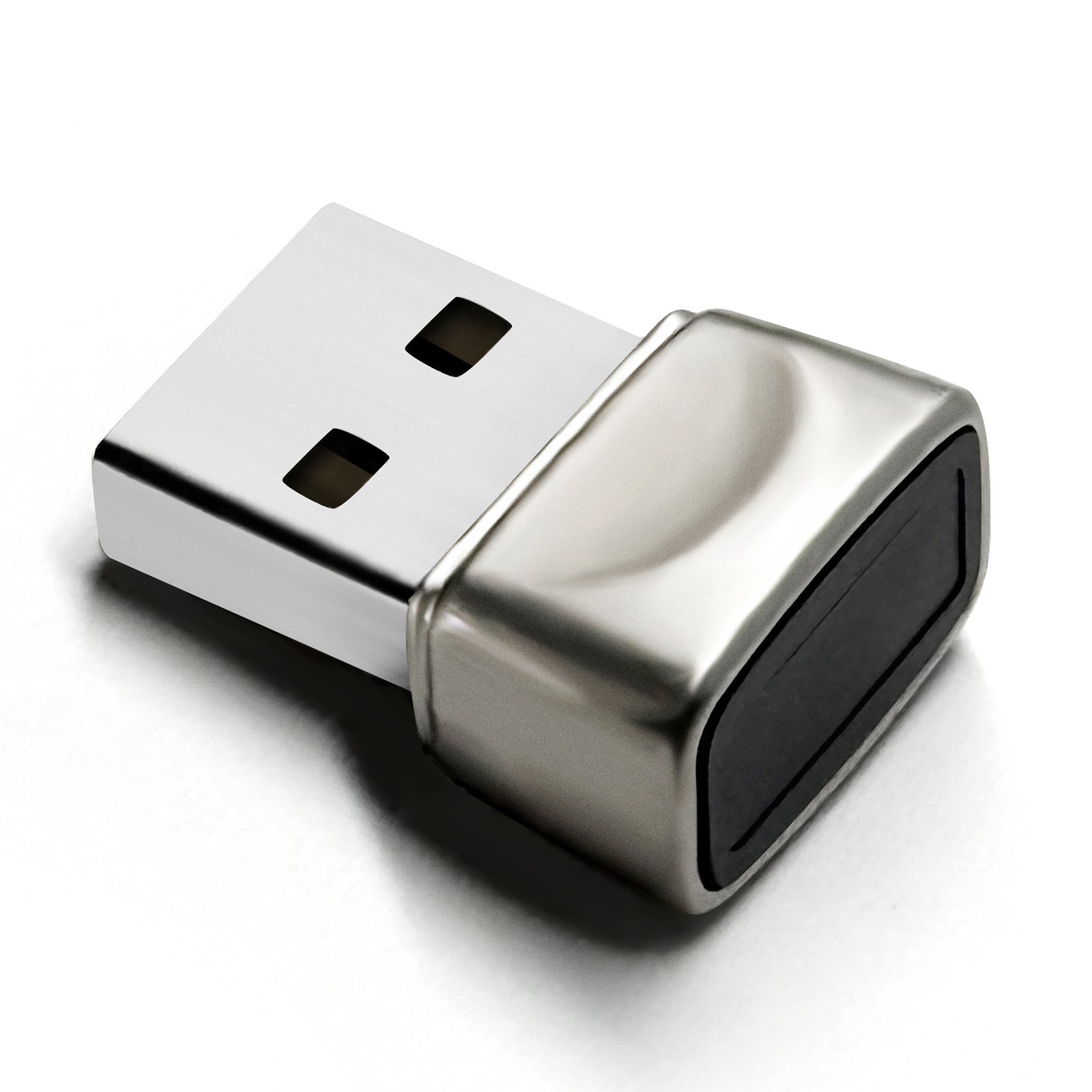
Tested lead model
Windows 10 Pro, build 19045
One FP200 sample and one test computer
Dovryx FP200
Fingerprint sign-in for your Windows PC.
A compact USB-A fingerprint reader for Windows Hello sign-in on compatible Windows 10 and 11 computers.
$69.99
Operating systemWindows 10 / 11
ConnectionUSB-A port required
Not supportedmacOS, Linux, FIDO2, Passkeys
Confirm your operating system and USB port before ordering.
Returns30 days from delivery
Hardware warranty1 year
Functional testWindows 10 setup and sign-in completed
Test scope
What the FP200 test actually covered.
These results apply to one FP200 sample on one Windows 10 Pro computer. They are functional checks, not universal compatibility or biometric error-rate measurements.
EnrollmentWindows Hello fingerprint added
One finger completed the Windows enrollment flow.
Sign-inLock-screen sign-in completed
Recognition and Windows authorization were confirmed in the biometric event log.
RecoveryRestart and S3 sleep passed
The reader returned with Device Manager problem code 0 and signed in again.
ConnectionTwo native USB-A ports passed
The same signed driver loaded for both physical port instances.
System rangeDesigned for Windows 10 / 11
Use a compatible computer with Windows Hello and a native USB-A port.
Compatibility first
Make sure FP200 fits your computer.
FP200 is a Windows Hello fingerprint reader. It is not a FIDO2 security key and does not support passkeys.
Designed for compatible Windows 10 and Windows 11 computers with Windows Hello available.
These operating systems are outside the confirmed launch range.
FP200 should not be described as a biometric security key.
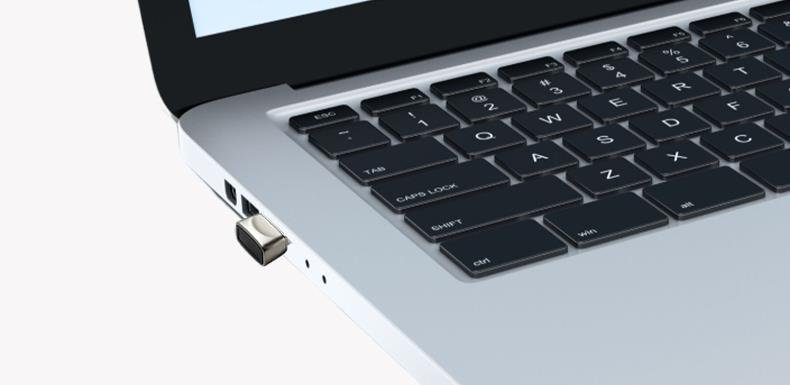
At your computer
A small reader for an available USB-A port.
Connect FP200 to a compatible Windows computer, install the driver when required, then enroll a finger in Windows Settings.
- Interface
- USB-A
- Finish
- Silver
- Product size
- 0.825 x 0.631 x 0.402 in
- Product weight
- 5.3 g
Windows setup
From connection to fingerprint enrollment.
Finish driver installation before opening Fingerprint recognition. On the recorded FP200 test, Windows installed the matching driver and Device Manager then showed the reader under Biometric devices with problem code 0.
- ConnectInsert FP200Use an available USB-A port.
- InstallConfirm the driverContinue only after the reader appears under Biometric devices without a warning.
- ConfigureOpen Sign-in optionsGo to Settings, Accounts, then Sign-in options.
- EnrollAdd a fingerprintComplete enrollment and keep a Windows PIN as backup.
FP200 driver status
Use the exact hardware match, not a generic fingerprint driver.
Windows Update is the first installation path. The current FP200 sample matched a Microsoft Update Catalog package, but Dovryx has not published a hosted production download in this prototype.
- Hardware ID
USB\VID_2541&PID_0236- Validated version
- ChipSailing 18.28.18.814
- Package INF
WudfBioUsb.inf- Expected result
- Biometric device, problem code 0
Before a manual install
Confirm the exact hardware ID in Device Manager. The three current samples reported the same ID, but a different ID or batch requires separate support.
A valid Microsoft hardware compatibility signature verifies the driver package signature. It is not Microsoft certification or endorsement of FP200.
A USB fingerprint reader for Windows sign-in.
It adds fingerprint input for the Windows Hello sign-in flow on compatible Windows 10 and Windows 11 computers.
Not a FIDO2 or passkey security key.
FP200 has no Microsoft product certification and should not be presented as officially approved or as a cross-website authentication key. A signed Windows driver does not change this boundary.
Before purchase
FP200
$69.99
30-day returns
Return or exchange within 30 days of delivery when the item remains in its original packaging and resaleable condition.
Buyer-paid return shipping
For personal reasons, including choosing the wrong interface or unsupported system, the buyer pays return shipping.
1-year limited hardware warranty
Qualifying non-user-caused hardware recognition faults or hardware damage are covered with free replacement.
FP200 FAQ